BirdNET-Go
What bird is that?
Been struggling a lot of late, so I dug back into the long list of 'want to do one day' projects for some mental distraction.
As I was scrolling through the list (it takes a few days), Freddy happened to mention that Lee has started noticing the bird calls in the yard.
It made me recall that Freddy and I really loved watching the birds in CA. They are very different up here. It was on my mind last summer when we moved that the calls were unusual to me.
So, when I hit the bird-call decoder section of my project list, it was a pretty easy pick.
I figure if Freddy and I can learn a few of the common birds (and their calls), then we can teach Lee a bit about what is happening in the world around him.
I tried a few versions of the UI - they all use the same bird machine learning matching algorithm behind the front end - some were really bad, some were vibe-coded un-installable, in the end, I went for a native setup that seems to have the balance just right.
 tphakala
Run the script on a clean Raspberry Pi 4, the install took about 20 minutes.
The web page came up, and there is not a ton to tweak. Fill out your location and the audio source, and that's about it.
As usual, the input is open to tinkering. Just like radio things, the antenna makes all the difference, same with audio.
I've started with a simple, cheap USB-C lapel microphone that I got overnight from Amazon.
The first time I plugged it in, of course, it did not work.... We all know why... USB-C, that wonderful universal plug-and-play standard, is anything but... So, I rotated the USB-C in the socket, and it started working. Hey, I had a 50/50 chance...
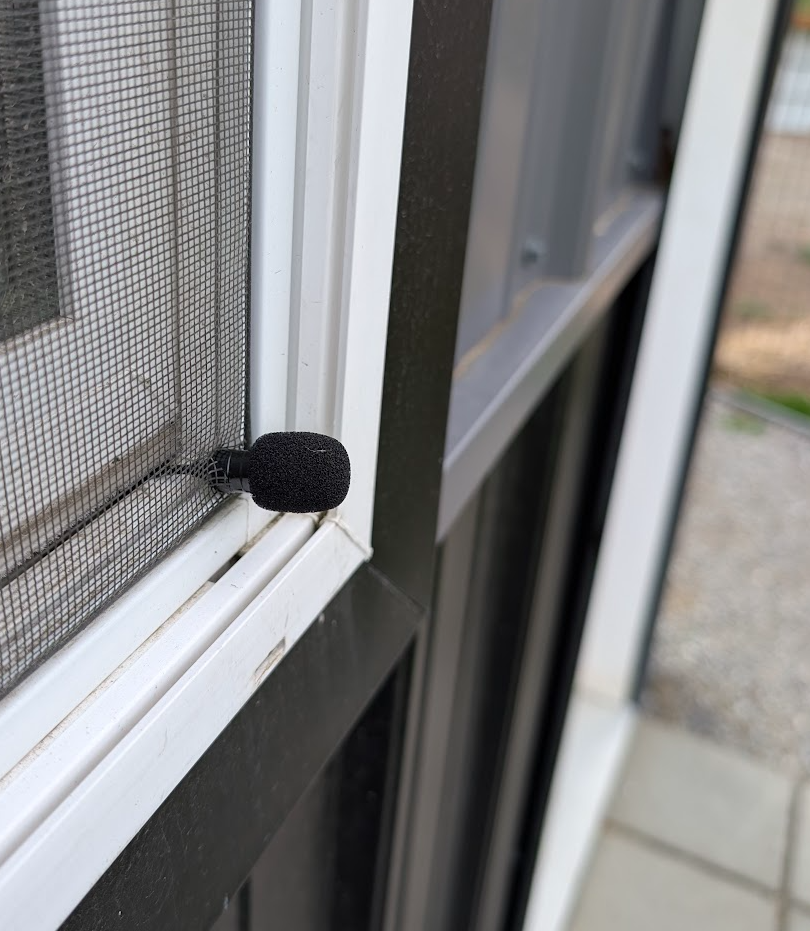
I plan to buy a cartridge mic and wire it up to a USB audio input adaptor; that's about all I am going to do with it.... Pfff, yeah, right.
Perhaps look for a future blog on that one.
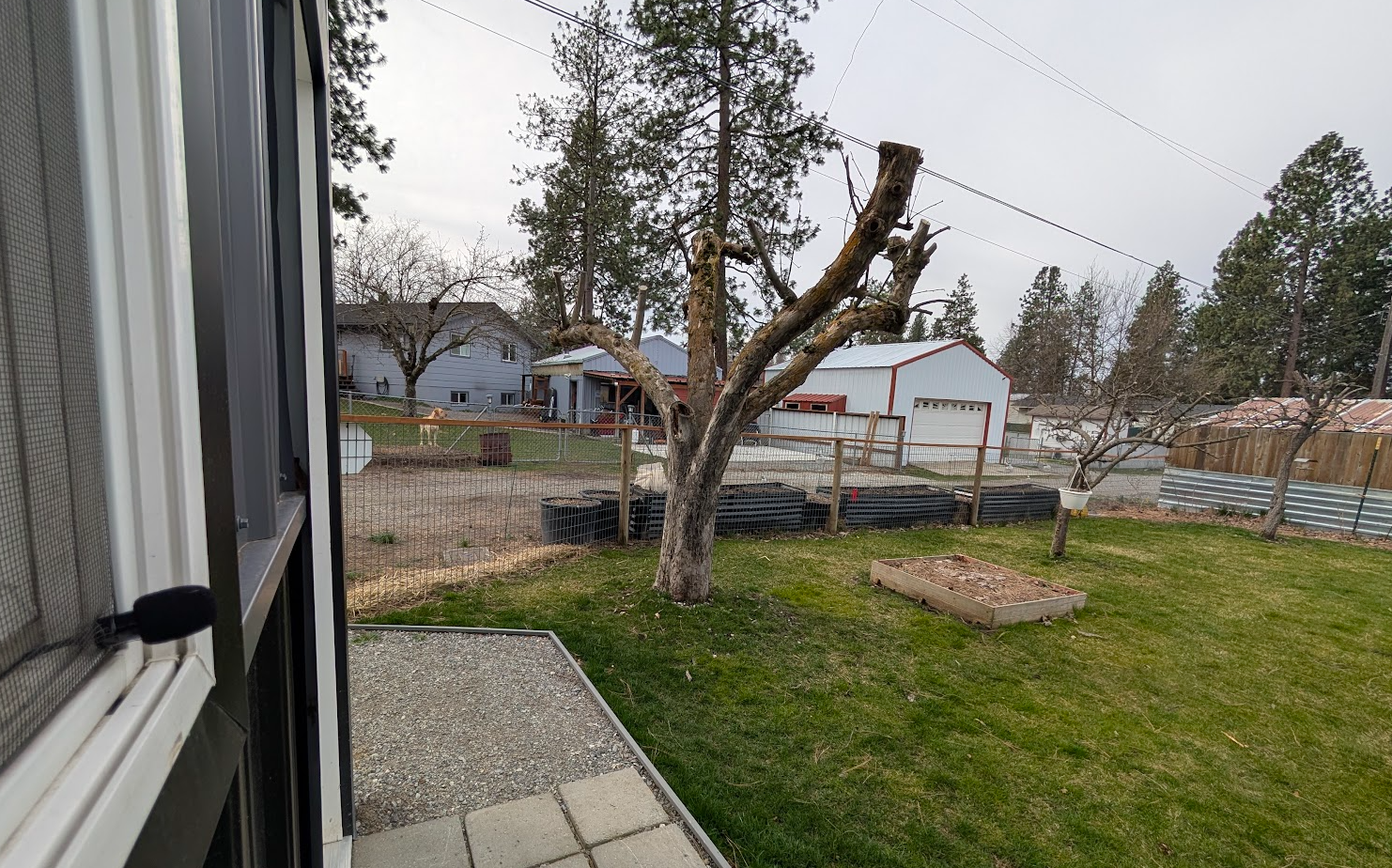
The main reason for not spending too much time and money on it is that I don't have much of either, and the freeway is too close, creating more background noise than the electronics side of the microphone. The upside to that is that we only 'hear' the local birds very close to home, so that is actually about perfect for our use case.
Ok, so let's take a look at what we have heard and seen over the past 7 days...
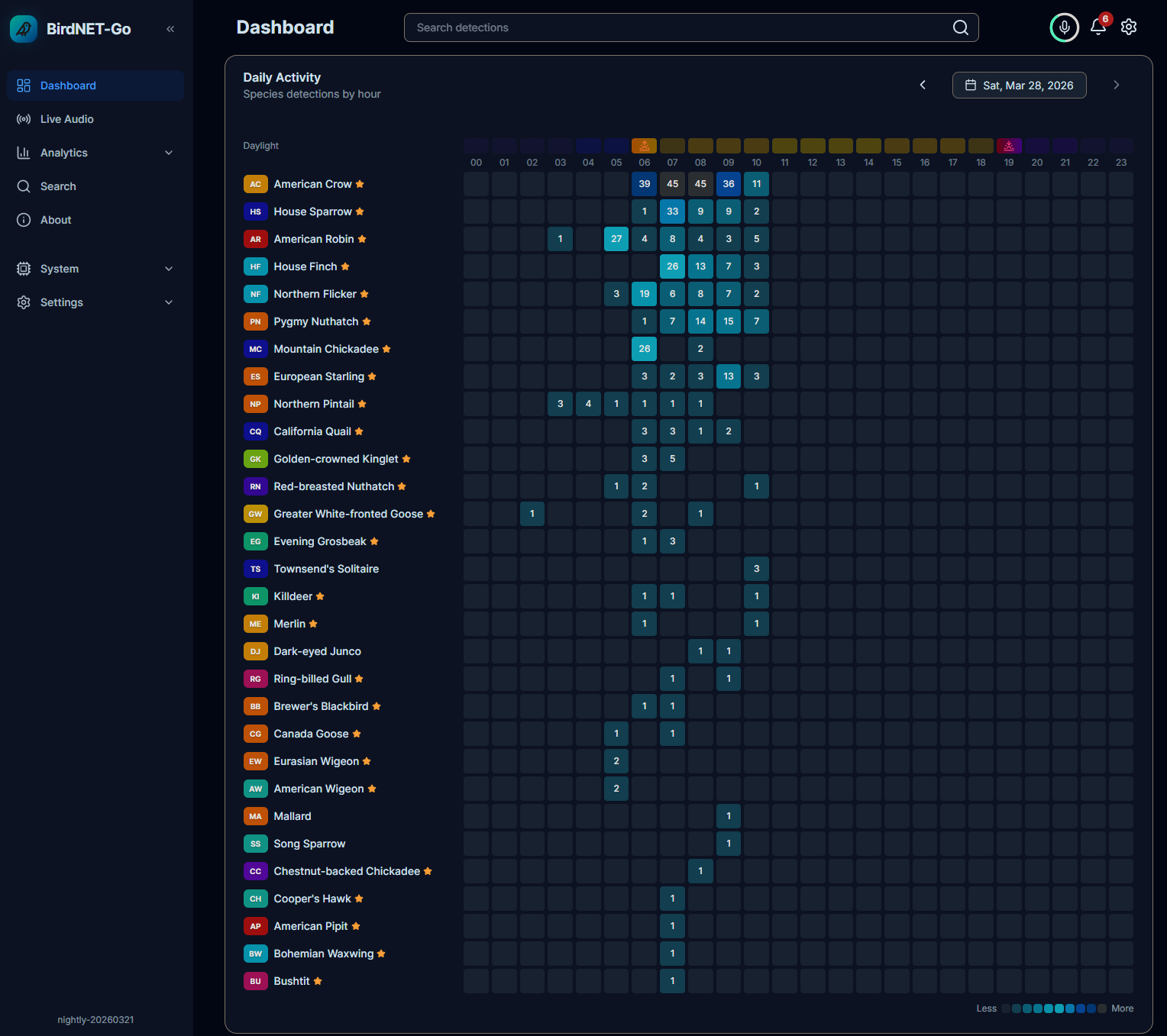
This is the main dashboard you see when you first open the URL. (And one of the main reasons I got this application is that it is responsive, so it works fine on my phone and Freddy's iPad).
You can see all the birds we have heard so far today, and when.
The date picker is at the top, so you can review any past days super quick.
Just below this date-heard heat map is the live recordings section.
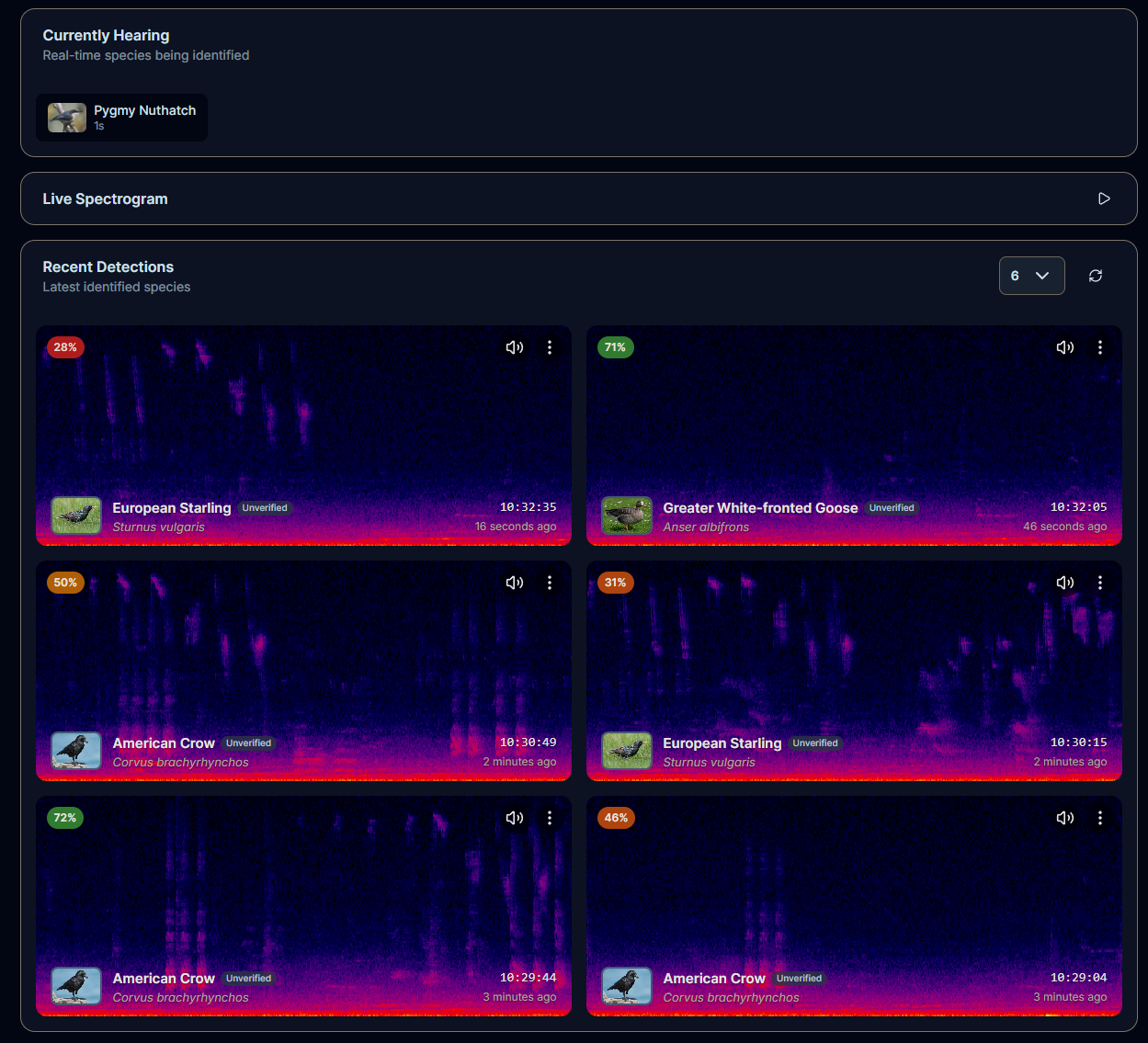
I waited a moment till something showed up in the 'Currently Hearing' box when I took this screenshot.
The ML does its thing in here for a few seconds, and then the recording - if it is identified as a bird - is moved to the lower part of the page.
I opted to view the last 6 recordings so the whole page fits on my monitor.
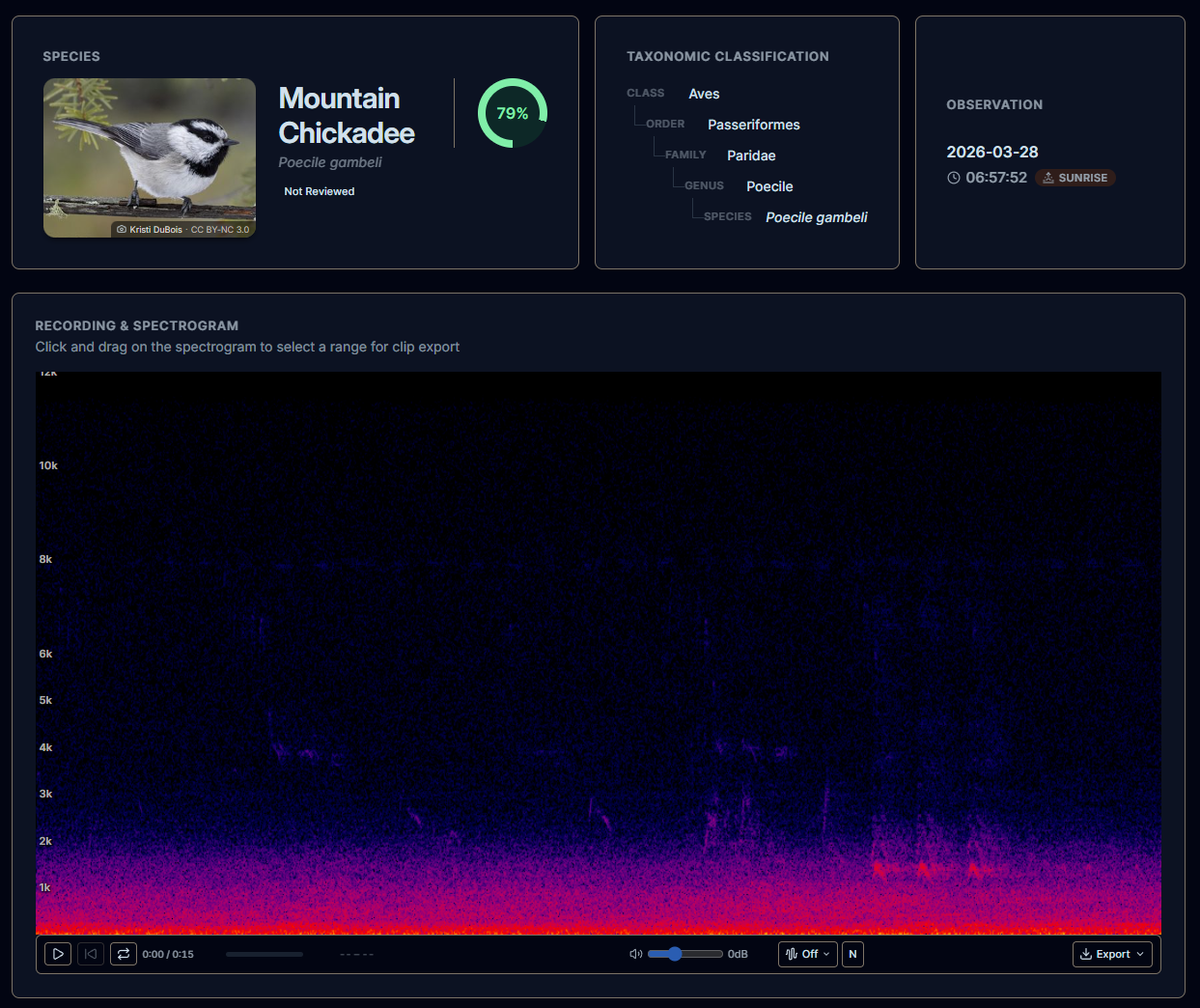
You can click on any of those recordings and hear the bird (or dog) and the traffic. Always hear the traffic. It really does an amazing job of picking out the calls. I'm very, very impressed. I hope that the new microphone just makes them a bit clearer. I know it won't change the constant low-frequency drone of the freeway, but some more top-end frequencies would help a LOT.
I plan to mount it in the exact same spot as the current mic... Or at the top of the window where it can hear the yard better - and the freeway better - so perhaps lower - always something to tinker with....
One of the main pages Freddy and I use a lot is this one....
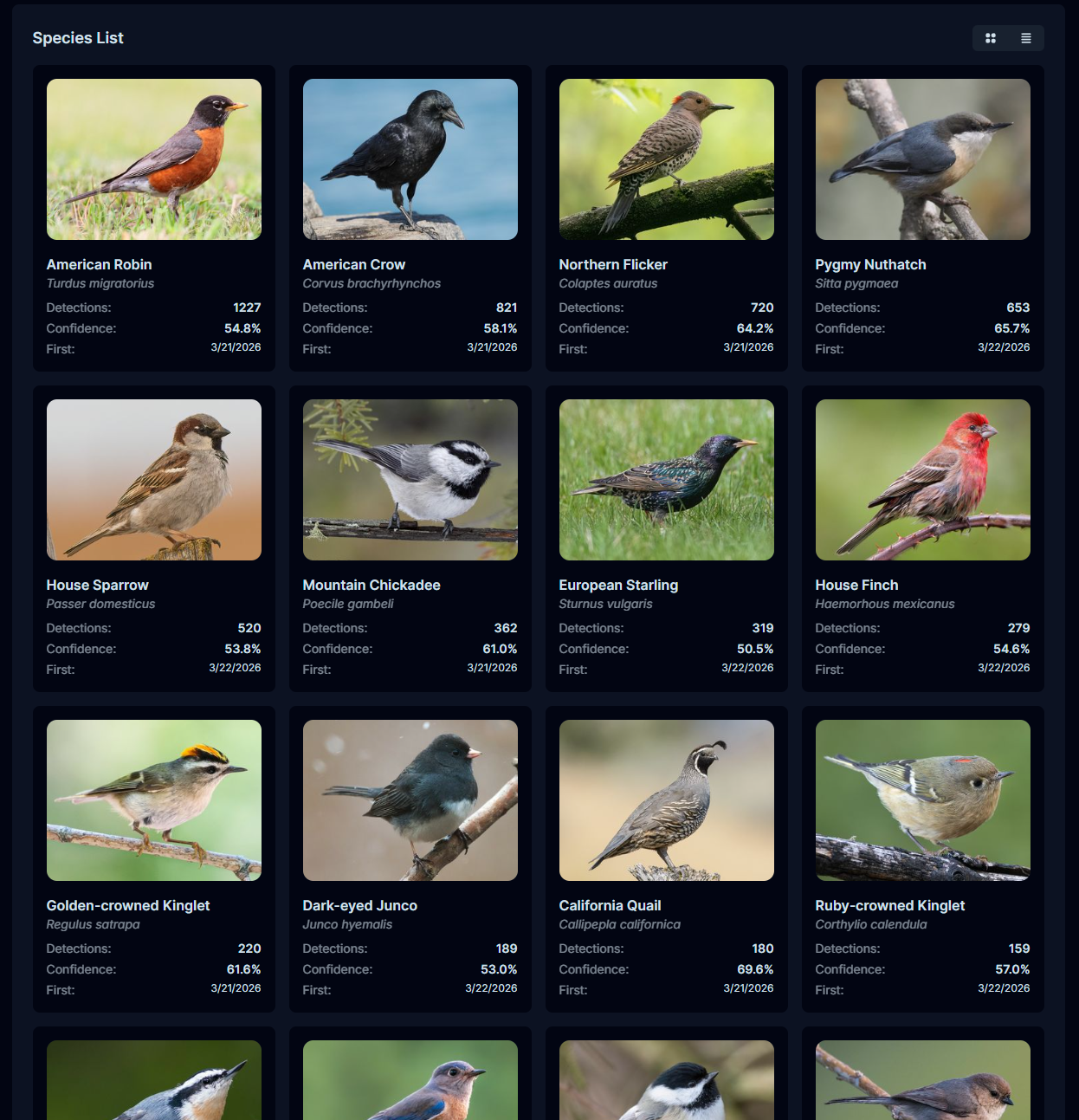
Freddy has already started to tie-up some of the birds on this page with their sounds, so it's great to see it working as hoped.
I really like projects like this that you can build, enjoy, and let run.
They just do their thing, and you can check in anytime and see results slowly unfold.
This is where the analytics sections come into play.
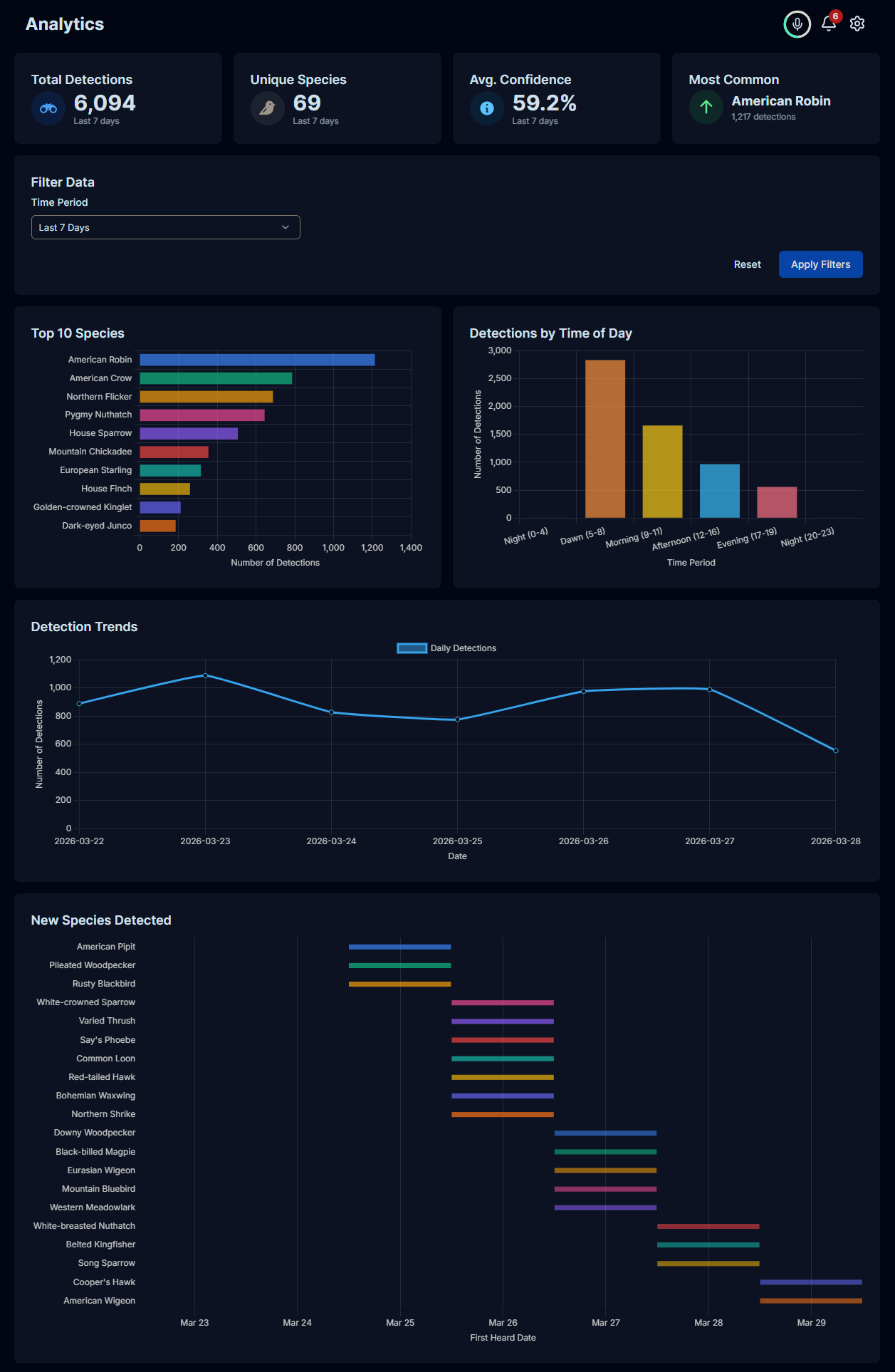
I'm looking forward to seeing a full year's worth of data and seeing how this coming winter (2026) goes vs 2027 and so on.
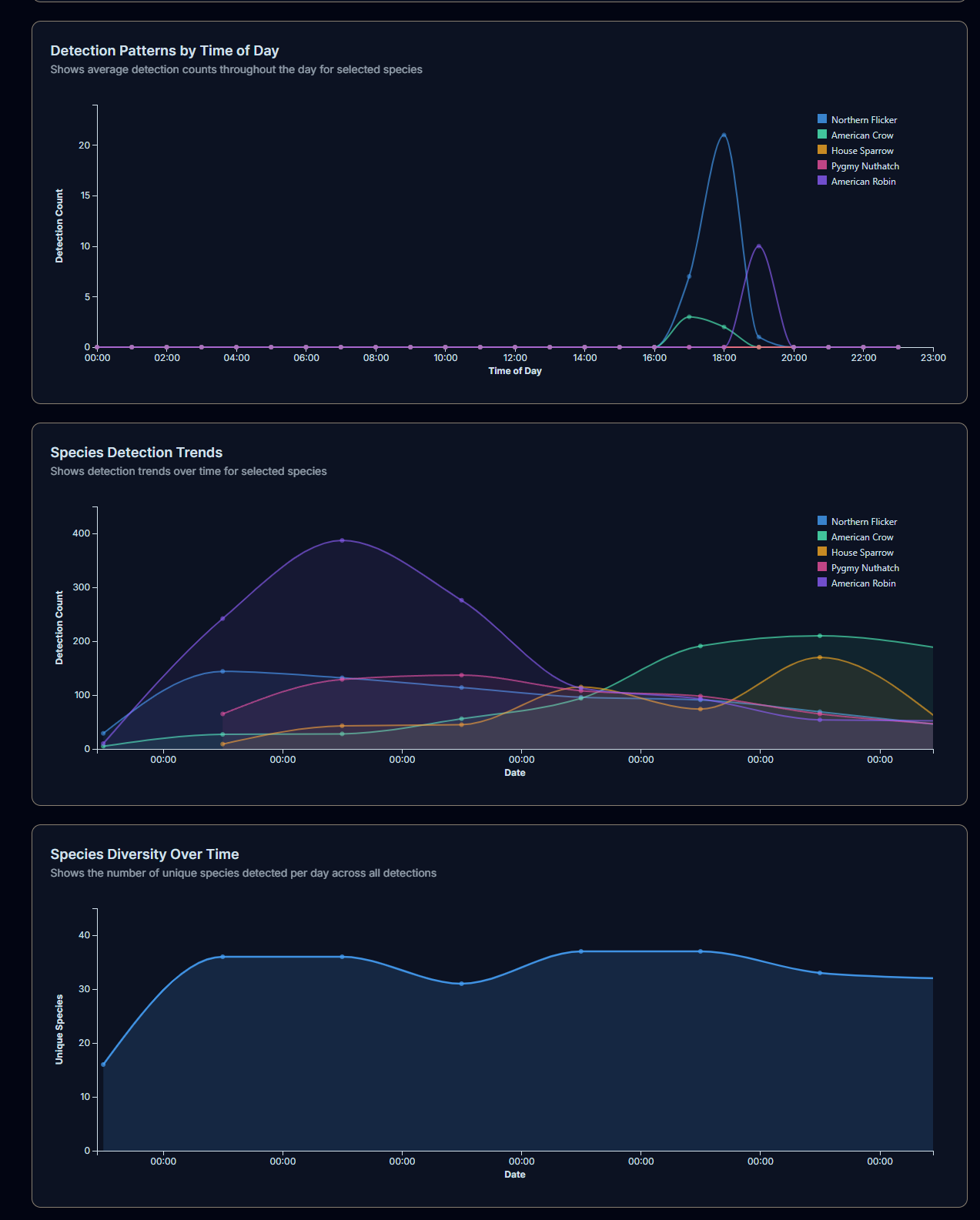
Just having a week's worth of data makes the graphs a bit dull, but you get the idea nonetheless.
Anyway, just found it interesting and know that a few of my readers will likewise be curious to see how this goes over the summer and into the winter.
I don't have the web interface open to the public, but if you want to take a look at some of the feathered friends we have made, I upload them live to birdweather here:
https://app.birdweather.com/stations/24458
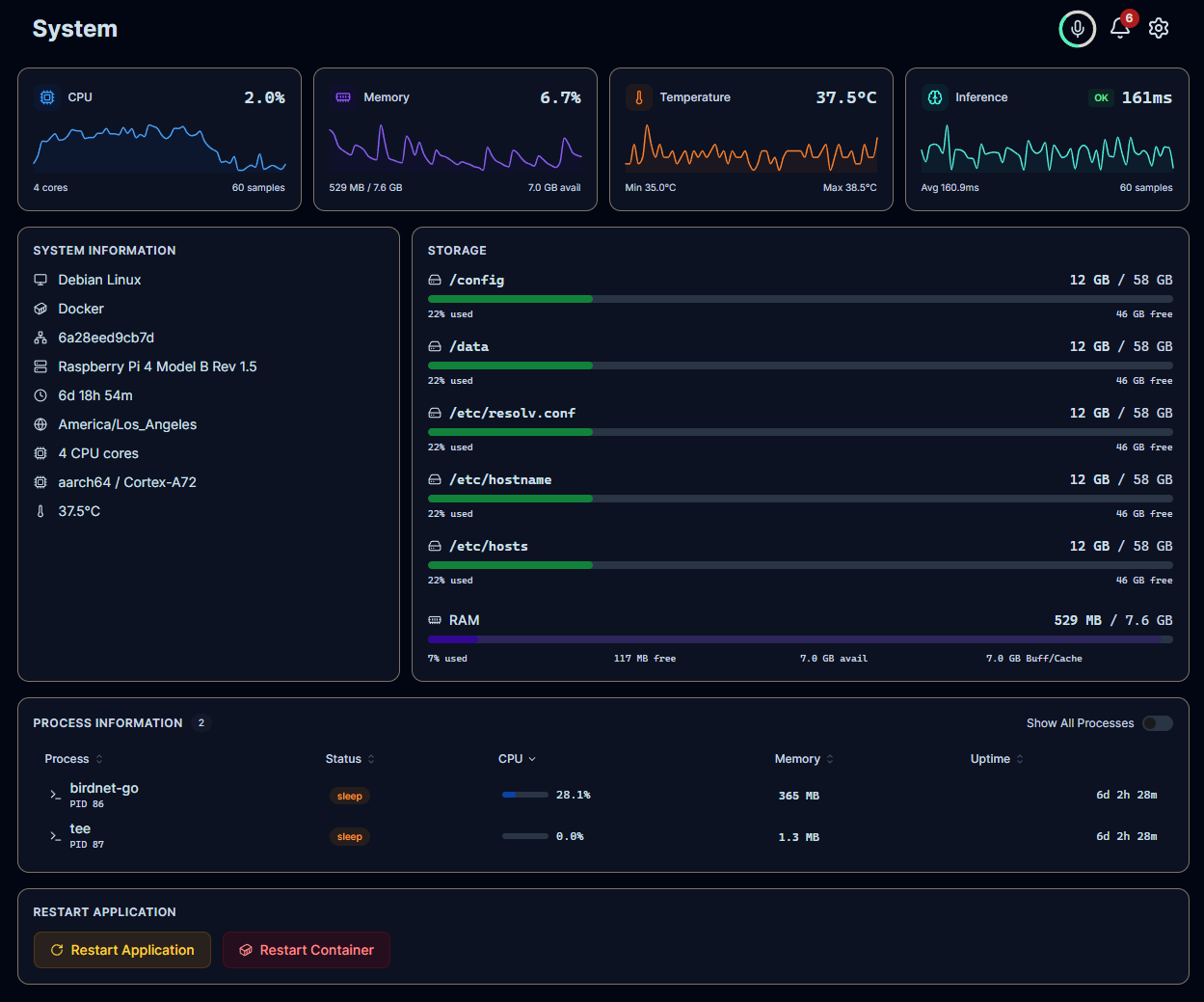
For the geek readers... It has a really clean system status dashboard...