
BirdNET-Go Freeway-Go
Freeway be quiet, tweets be loud
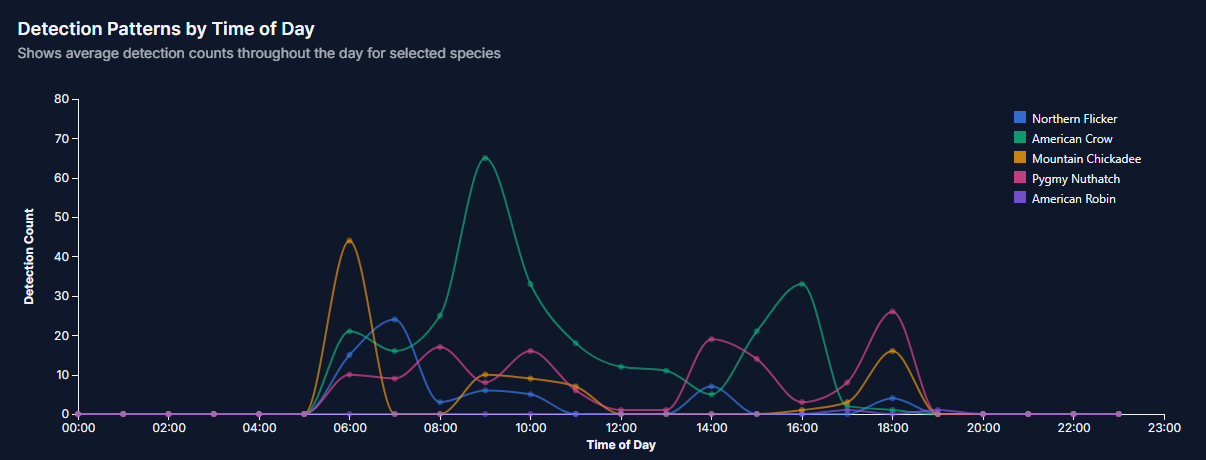
As predicted, I tinkered.
First, software. This was the big one.
If you recall from the main blog about the bird call analyzer, I had a lot of constant background noise from the nearby freeway.
Visually, it looked like this:
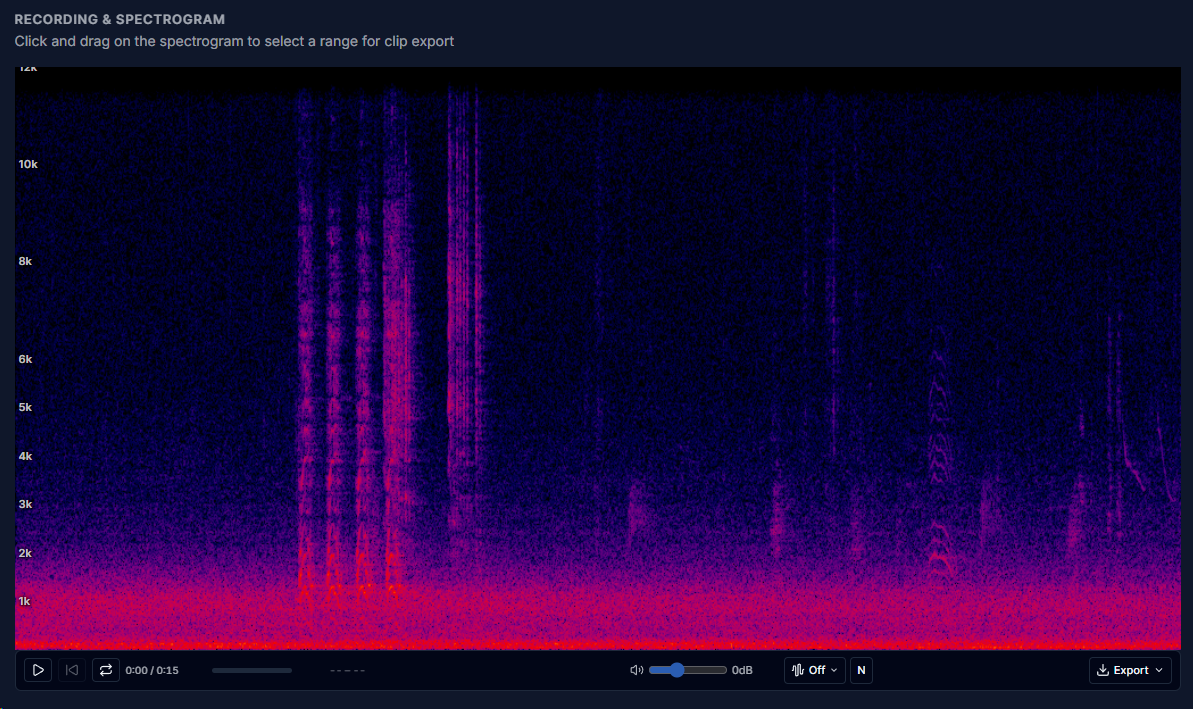
That big blob of red/pink running along the bottom is the freeway noise.
It mutes the bird calls and reduces the total distance at which I can pick up any calls.
This is the audio from that spectrogram.
You can clearly hear the freeway.
Yes, I have probably picked a bad example, as you can clearly hear the crow. I wanted to show the freeway noise more so than a soft twitter tweet that some blog readers might not 'get'.... I mean, everyone in the world over knows what a crow sounds like!
Here is what I have now....
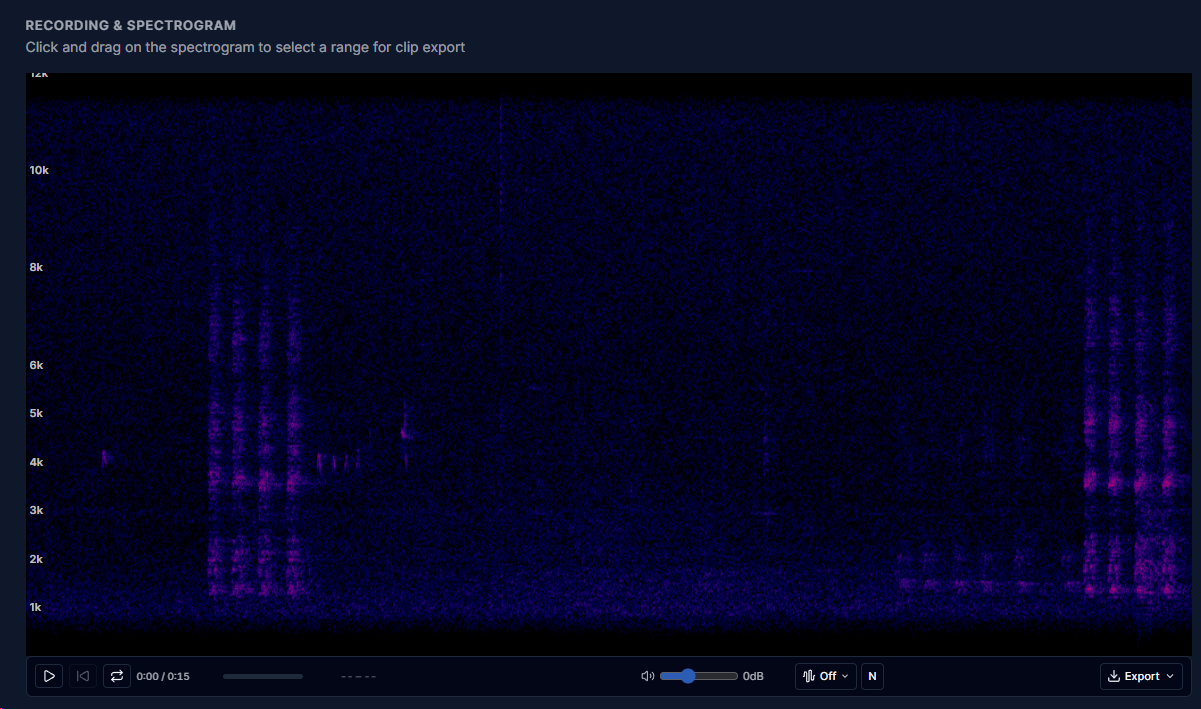
So what happened? What did I do to make such a massive improvement?
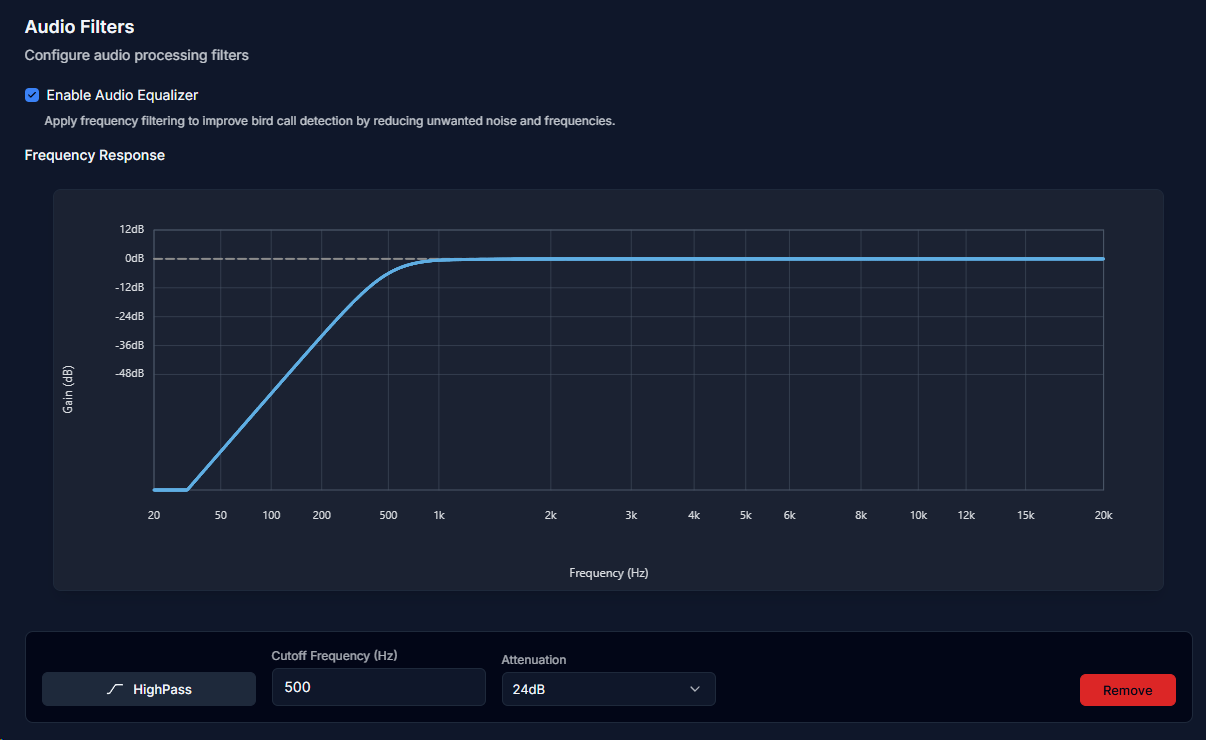
Somehow, I'd overlooked a small checkbox in the audio settings that turned on a slightly adjustable graphic equalizer.
By dropping out the lower end of the audio spectrum, I have pretty much totally removed the low-frequency rumble of the freeway. And, I suspect a good whack of wind noise as well.
What a difference!!
That just leaves the microphone to tweak....